AI coding agents are quickly moving from novelty to daily tooling. Claude Code, Codex, Gemini CLI, and similar agents can already write features, refactor code, and fix bugs with minimal input. But once you start running more than one agent, a new problem appears: coordination.
That’s where Vibe Kanban comes in.
Vibe Kanban is an open-source, local-first Kanban interface designed to plan, run, monitor, and review tasks executed by AI coding agents. Instead of juggling terminals, logs, and half-finished branches, it gives you a single visual workflow to manage AI-assisted development.
What Is Vibe Kanban?
At a high level, Vibe Kanban combines two ideas:
- Kanban-style task management
- AI agent execution and supervision
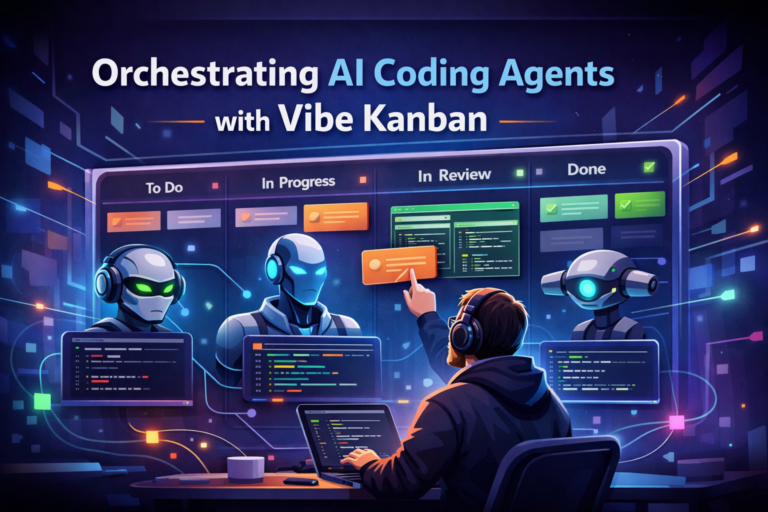
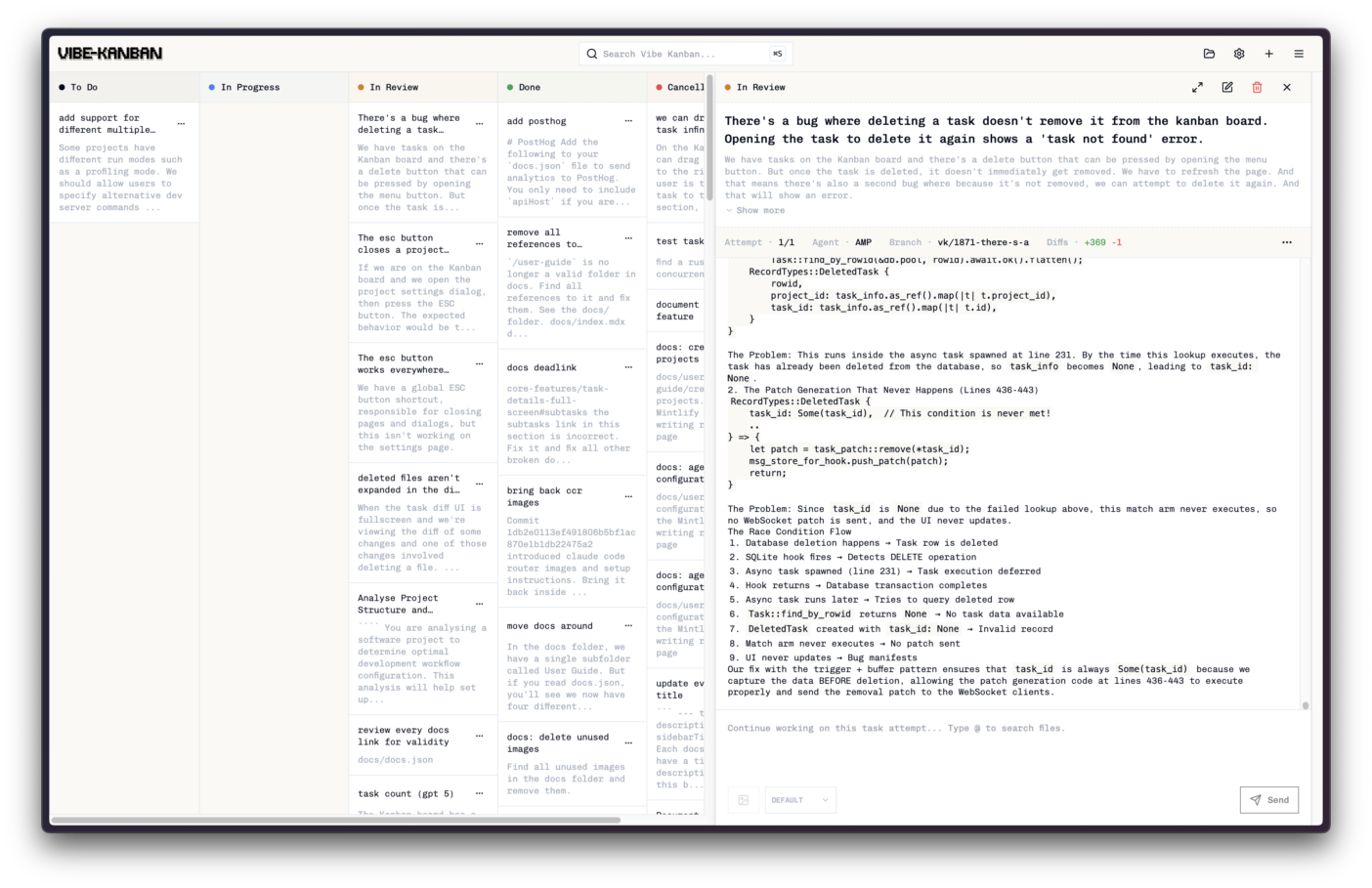
Each task lives on a board (To Do → In Progress → In Review → Done) and can be assigned to a specific AI agent. The agent runs locally, executes the task, and produces code changes that you can inspect before merging.
The important shift here is conceptual:
You’re no longer just writing code — you’re directing and reviewing autonomous agents that write code on your behalf.
Supported Coding Agents in Vibe Kanban
Vibe Kanban works with a range of popular AI coding agents that can be run locally or via CLI, giving developers flexibility when orchestrating tasks. According to the official support page, the currently supported agents include:
Core Supported Agents –
- Claude Code – Anthropic’s CLI-based coding agent.
- OpenAI Codex – OpenAI’s coding agent available via CLI.
- GitHub Copilot (CLI version) – Copilot’s command-line interface.
- Gemini CLI – Google’s Gemini agent CLI.
- Amp – Another coding agent supported by the platform.
- Cursor CLI – CLI-based agent powered by Cursor tools.
- OpenCode – SST’s open-source coding agent.
- Qwen Code – Coding agent available via CLI.
- Factory Droid – Factory AI’s Droid agent.
Note: Many of these agents require you to authenticate or configure them via CLI before using them within Vibe Kanban.
Why This Exists (And Why It’s Useful)
Running a single AI agent in a terminal is manageable. Running multiple agents quickly becomes messy:
- Which agent is working on what?
- What files did it touch?
- Is it stuck, looping, or hallucinating?
- How do you review the output safely?
Vibe Kanban addresses this by adding structure, visibility, and checkpoints to AI-driven development — without trying to replace Git, GitHub, or your editor.
Key Features (Without the Hype)
1. Parallel AI Agent Execution
Vibe Kanban allows you to run multiple AI agents in parallel, each assigned to its own task. This makes it practical to:
- work on several features at once
- delegate refactors and bug fixes simultaneously
- experiment with different agents or prompts side by side
Execution still requires human oversight, but the coordination overhead drops significantly.
2. Real-Time Visibility and Logs
Each task shows live execution status and logs, so you can see:
- what the agent is currently doing
- where it may be stuck
- whether it’s producing meaningful output
You can pause or stop tasks if something goes off the rails — which matters a lot with autonomous systems.
3. Built-In Code Review Before Merging
Instead of blindly trusting generated output, Vibe Kanban lets you review AI-generated code changes and diffs before they land in your branch.
Think of it as a structured “pre-PR” review stage, designed specifically for AI output.
4. GitHub-Friendly Workflow
Vibe Kanban integrates cleanly with GitHub workflows. Tasks can be turned into pull requests, making it easier to:
- keep AI changes isolated
- review them like normal code
- merge only what you’re confident about
It doesn’t try to reinvent Git — it just fits into it.
5. VS Code Integration
For developers who live in their editor, Vibe Kanban provides a VS Code extension that surfaces task status, logs, and agent activity directly inside the IDE.
This keeps context switching to a minimum while still preserving oversight.
Who Is This For?
Vibe Kanban makes the most sense for:
- developers experimenting with AI-first workflows
- solo builders running multiple agents locally
- open-source contributors delegating parallel tasks
- teams exploring agent-based development without committing to heavy platforms
Because it runs locally, it’s also appealing if code privacy matters.
Getting Started
You can run Vibe Kanban locally with Node.js (18+ recommended):
npx vibe-kanbanOnce running, you can connect supported agents, create tasks, and start coordinating AI-driven work immediately.
What Vibe Kanban Is Not
It’s worth being explicit:
- It’s not a Jira or Linear replacement
- It’s not a fully autonomous “fire and forget” system
- It doesn’t remove the need for code review
Instead, it acts as a control layer — helping you supervise AI agents the same way you’d supervise junior developers.
Final Thoughts
AI coding agents are powerful, but without structure they quickly become noisy and hard to trust. Vibe Kanban doesn’t try to solve AI itself — it solves the workflow problem around AI.
If you’re experimenting with multiple agents and want a clearer, safer way to manage them, Vibe Kanban is a tool worth exploring.
It feels less like “project management” and more like directing a small team of tireless, slightly unpredictable junior engineers — which, realistically, is what AI agents are today.