After years of user requests, Google Chrome has finally started testing Vertical Tabs — now available in Chrome Beta.
If you’re someone who regularly juggles dozens of tabs, this long-awaited feature could fundamentally change how you browse, organize, and focus.
Let’s dive into what’s new, why it matters, and how you can try it today.
What Are Vertical Tabs?
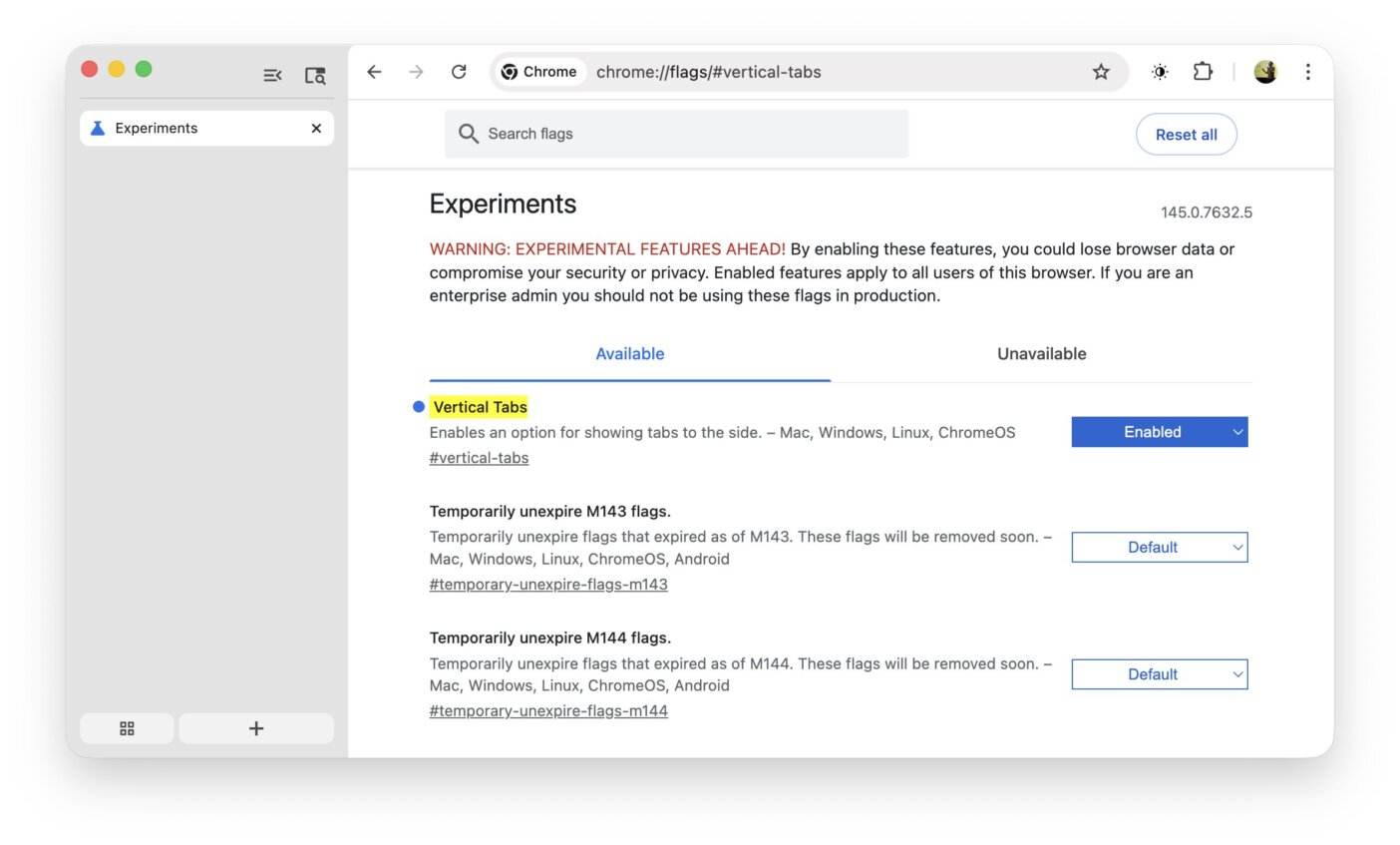
Vertical tabs move your open tabs from the top of the browser into a left-side sidebar, stacking them vertically instead of squeezing them into tiny horizontal slots.
Why this matters:
- ✅ Full tab titles stay readable
- ✅ Easier navigation with many open tabs
- ✅ Better use of widescreen & ultrawide monitors
- ✅ Less visual clutter and tab fatigue
This layout has already proven successful in browsers like Edge and Vivaldi — and Chrome is finally catching up.
Vertical Tabs in Chrome Beta: What’s New?
In recent Chrome Beta (v145+), Google introduced an experimental vertical tab layout behind a feature flag.
Current capabilities:
- Tabs displayed in a left sidebar
- Toggle between horizontal & vertical layouts
- Integrated with Chrome’s existing sidebar system
- Lightweight and optional (no forced UI change)
This is clearly an early iteration — but the foundation is solid.
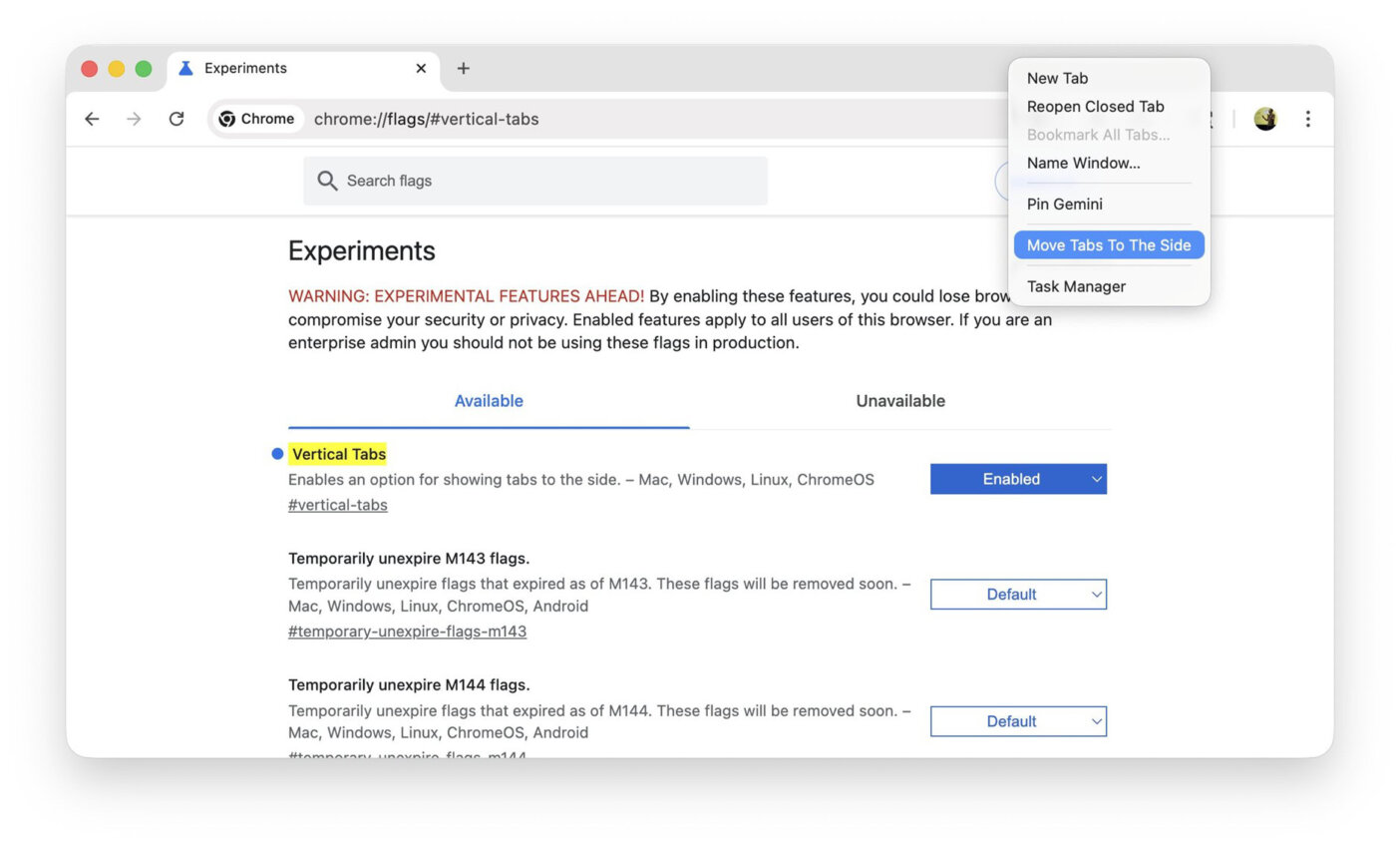
How to Enable Vertical Tabs in Chrome Beta
⚠️ This feature is experimental and may change.
- Install Chrome Beta
- Open the address bar and visit:
chrome://flags/#vertical-tabs - Set Vertical Tabs → Enabled
- Relaunch Chrome
- Right-click the tab bar → Move tabs to the side
That’s it — your tabs now live vertically 🎉
Why Vertical Tabs Matter in 2026
Browsing has changed:
- We treat tabs like documents
- We work inside the browser all day
- Screens are wider than ever
Vertical tabs reduce cognitive load and turn tab management into a readable, scannable list — not a guessing game of favicons.
This move also signals that Chrome is becoming more power-user friendly, responding to real workflow needs.
Final Thoughts
Vertical tabs in Chrome Beta feel like a small UI change with a massive productivity payoff.
If Google continues refining this and ships it to Stable, it could be one of Chrome’s most important desktop improvements in years.
👉 Have you tried vertical tabs yet?
👉 Love it or still prefer the classic layout?
Drop your thoughts in the comments 👇